Auto-enrol your BambooHR users from your organization into Cronofy
Read as MarkdownYou can use our auto-enrolment option to connect your BambooHR company account to your Organizational Unit in Cronofy, so that any employees from your BambooHR account can be automatically added to your Organizational Unit when signing up for Cronofy, without the need to send them invites.
First sign-up #
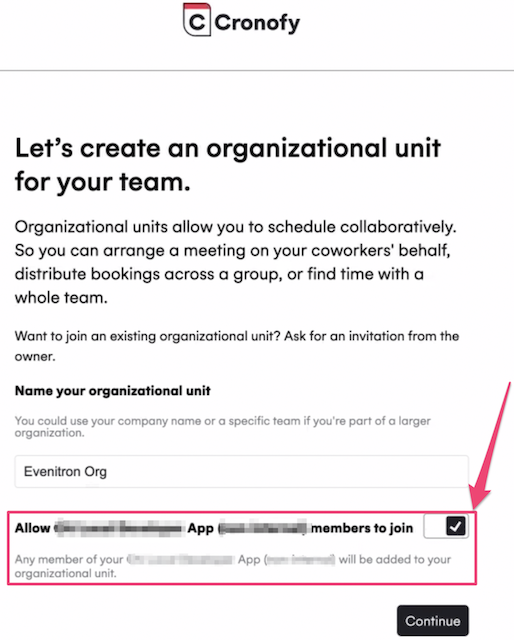
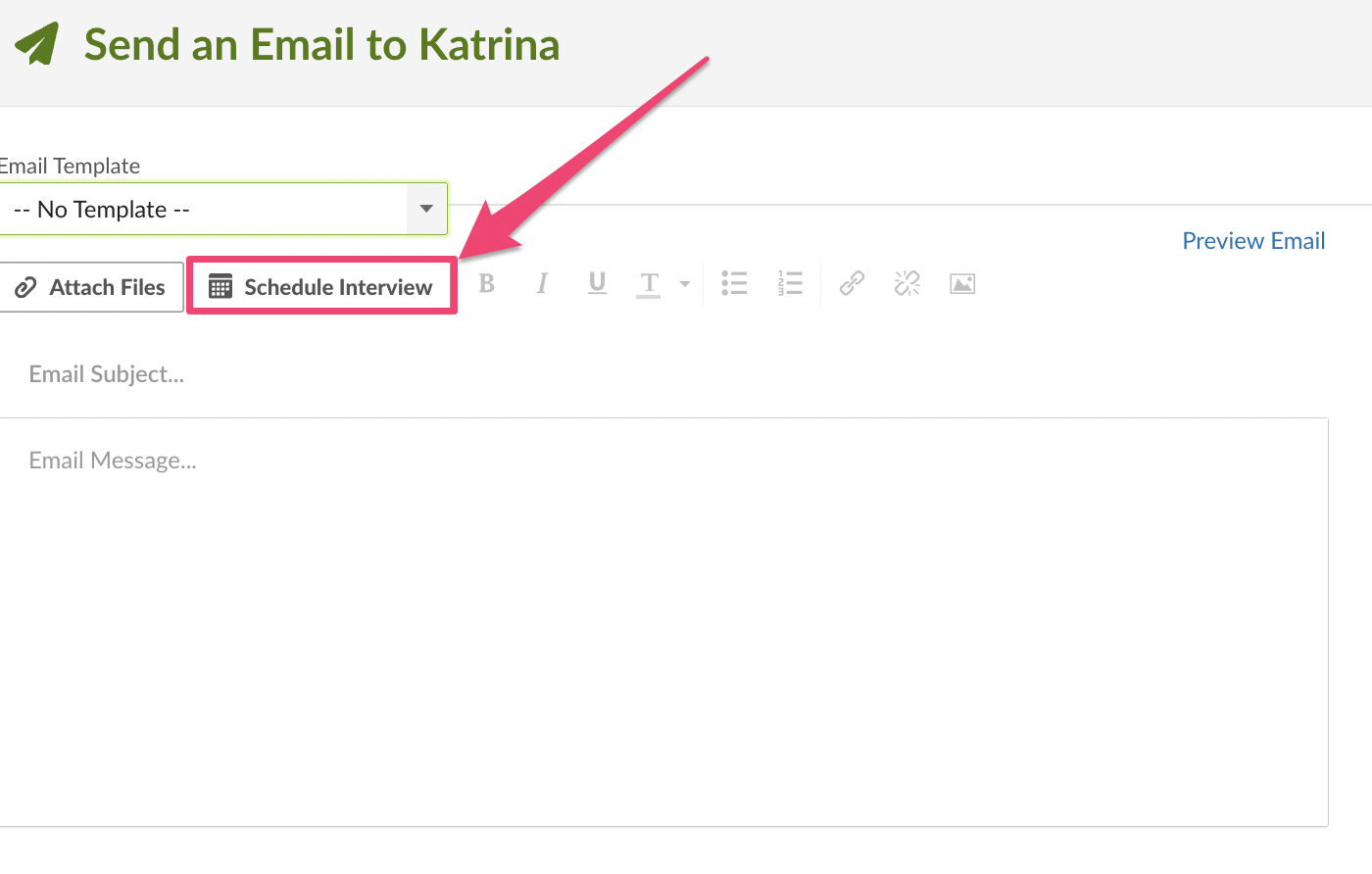
A BambooHR admin will first need to install the Cronofy app via the “Apps” settings in BambooHR. Then, the Embedded Scheduler flow below will prompt them to create an Organizational Unit in Cronofy, where they will see the auto-enrolment option turned on by default.
Enable auto-enrolment later #
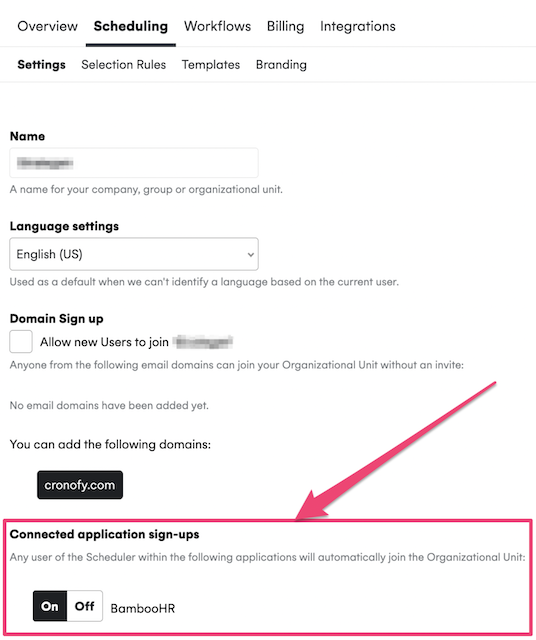
If you turned off the auto-enrolment option when creating the Organizational Unit (see flow above), you can still turn it on by heading to your Cronofy account > select your Org “Scheduling” Settings > click on “On” under “Connected applications sign-ups”.
What if I don’t see the auto-enrolment option in my Cronofy account? #
If you created an Organizational Unit outside of the Embedded Scheduler flow (described above), you will need to ask your BambooHR admin to install the Cronofy app in your BambooHR account.
Once the Cronofy app has been installed, any existing member of the Organizational Unit clicking “Schedule Interview” in BambooHR will link the BambooHR company account to the Organizational Unit, which will make the auto-enrolment option visible in your Organizational Unit “Scheduling” Settings, as mentioned above.