Changes to Free/Busy Access
Starting 3rd of March, we will enable a new option for your users when authorizing Cronofy to access their calendars.
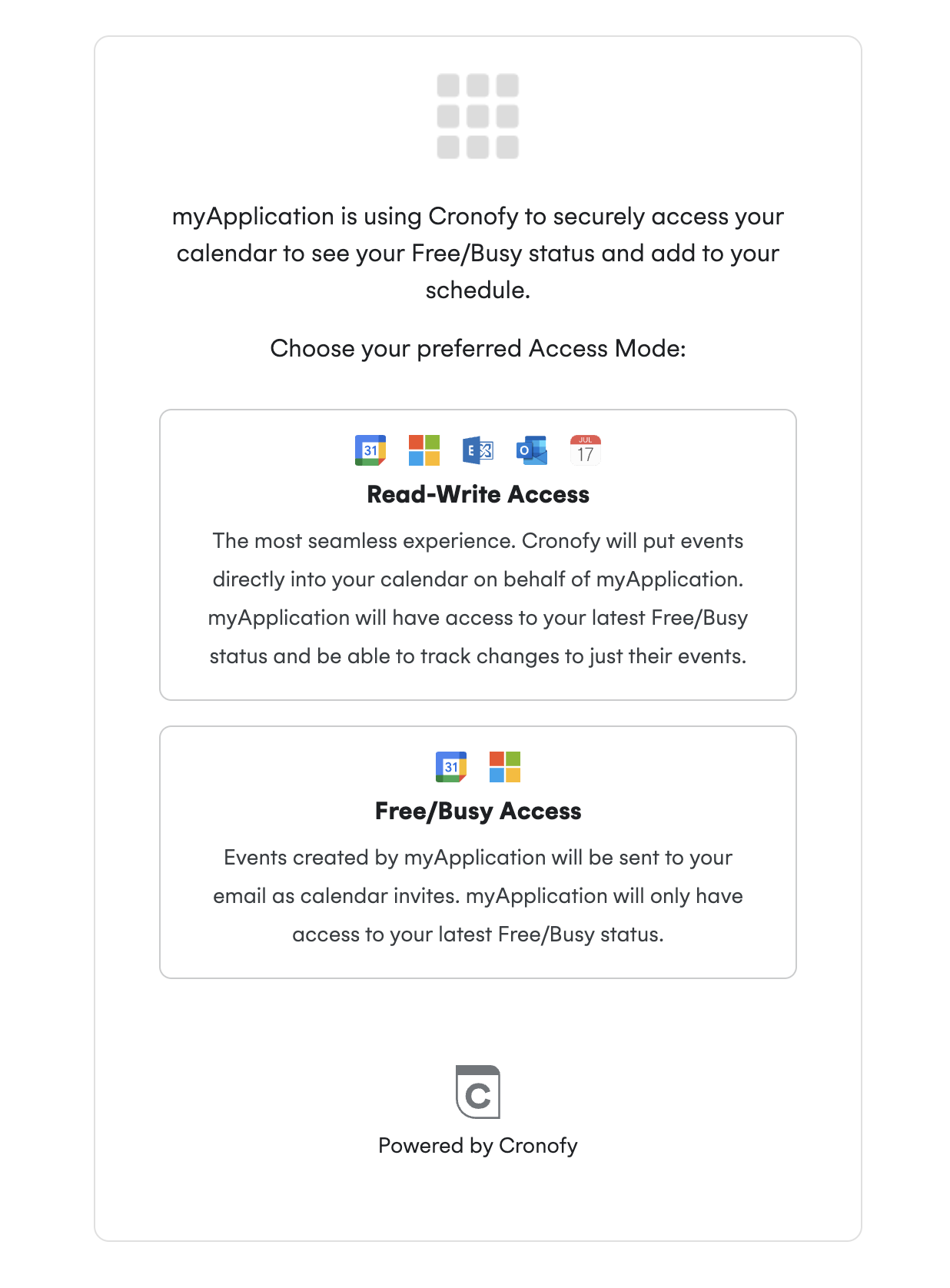
When your application requests free_busy_write, users will be given the choice between a new Free/Busy mode, as well as the existing option to grant full access.
This will be available for your customers using Individual Connect and Enterprise Connect.
This option is only available to applications when requesting the free_busy_write scope during authorization. If your application doesn’t request this scope, Cronofy cannot offer the alternative access mode.
Until now, calendar provider permissions limitations meant your end users had to grant Cronofy read-write access, even if your application only needed Free/Busy data.
Recent updates from Google and Microsoft now let Cronofy connect to your users’ calendars with reduced permissions; ideal for privacy-conscious users and organisations with strict compliance requirements and allowing your company to reach broader adoption of it’s scheduling functionality.
Now, during the authorisation flow, users can choose from two access modes - read-write and free/busy - when connecting their calendar, balancing privacy and functionality.
What are the new Calendar Access Modes? #
| Access Mode | Before Update | After Update |
|---|---|---|
| Read-Write | Current default mode | Still available for seamless event creation and updates directly in the user’s calendar. Events are returned as Free/Busy. |
| Free/Busy Access | Not previously available | Full Availability data is accessed, but event details are hidden and only necessary data is synced. Events are sent as email invites, ensuring privacy while maintaining scheduling accuracy. |
You can read more about these modes here.
Why should I offer Free/Busy access? #
To drive adoption of your scheduling feature and increase stickiness by eliminating security risks and IT concerns. This approach enables you to win customers and prospects with a connection method your competitors are unlikely to offer.
Who should I offer this to? #
- Customers that have declined/rejected connecting calendars in the past due to security concerns.
- Enterprise organizations that are security conscious to make it easier for them to connect their calendars and onboard to your scheduling feature.
- Any customer/prospect where IT has concerns about connecting calendars, e.g. when they ask if they can limit access.
- Customers who used to be on EWS Free/Busy Only and are hesitant to reconnect with the existing Enterprise Connect option.
What is the impact? #
For the end-user #
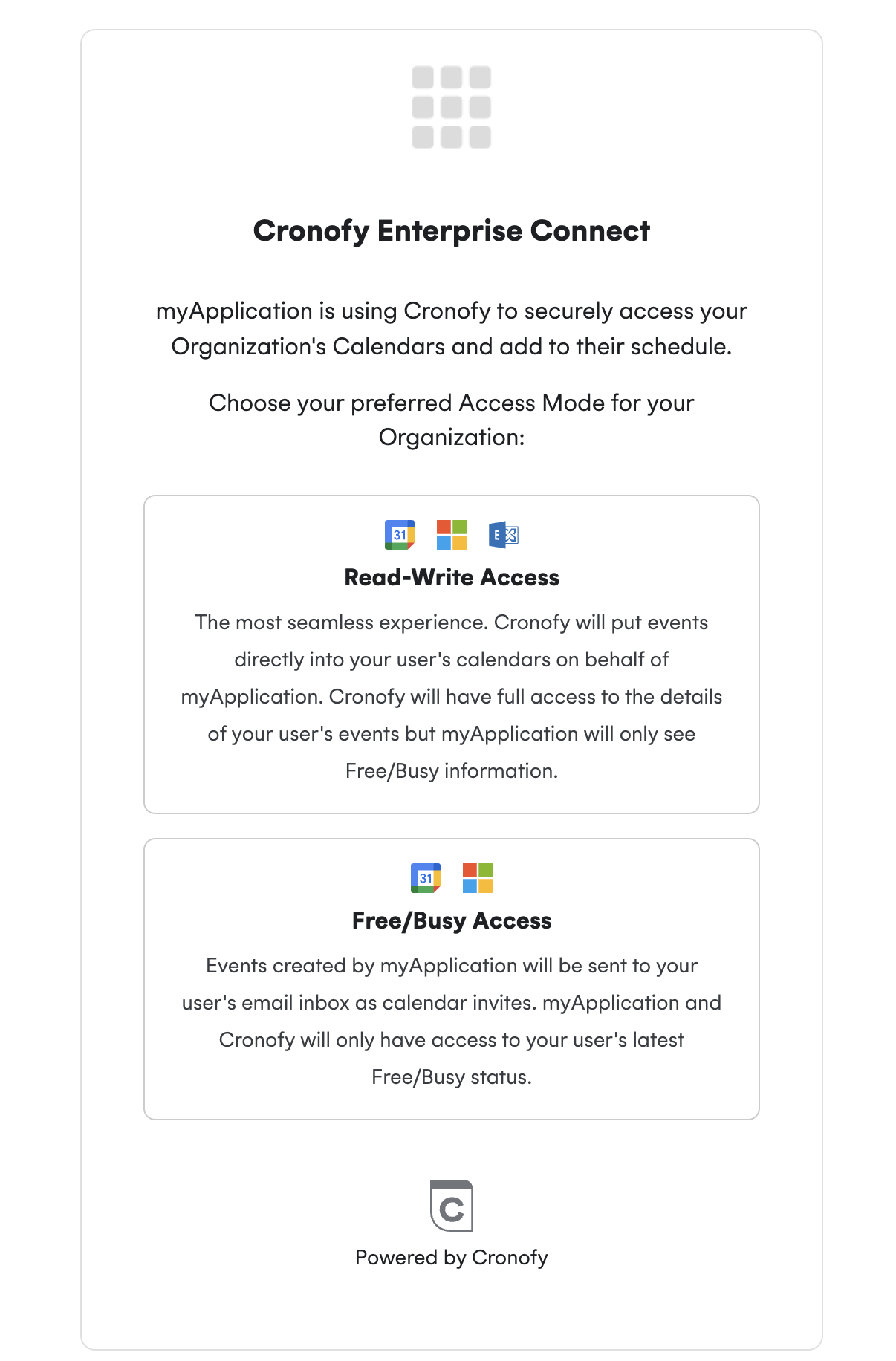
For the end-user, they will now see a new screen when authorising. Your end-users will be able to choose between the two modes, as described above.
Individual Connect #
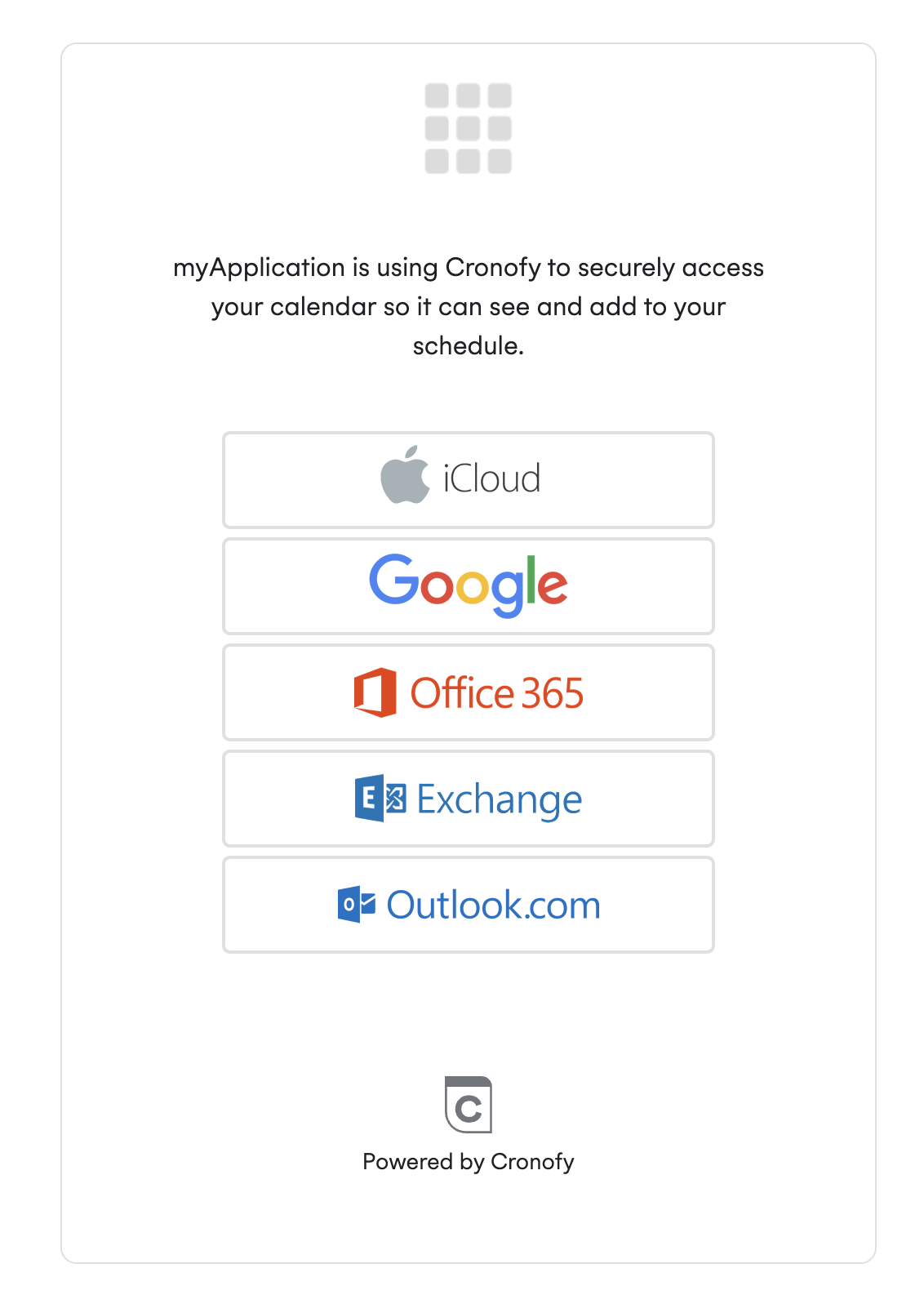
Without Calendar Access Modes requesting the free_busy_write scope, users will see this page:
With Calendar Access Modes requesting the free_busy_write scope, users will see this page:
Enterprise Connect #
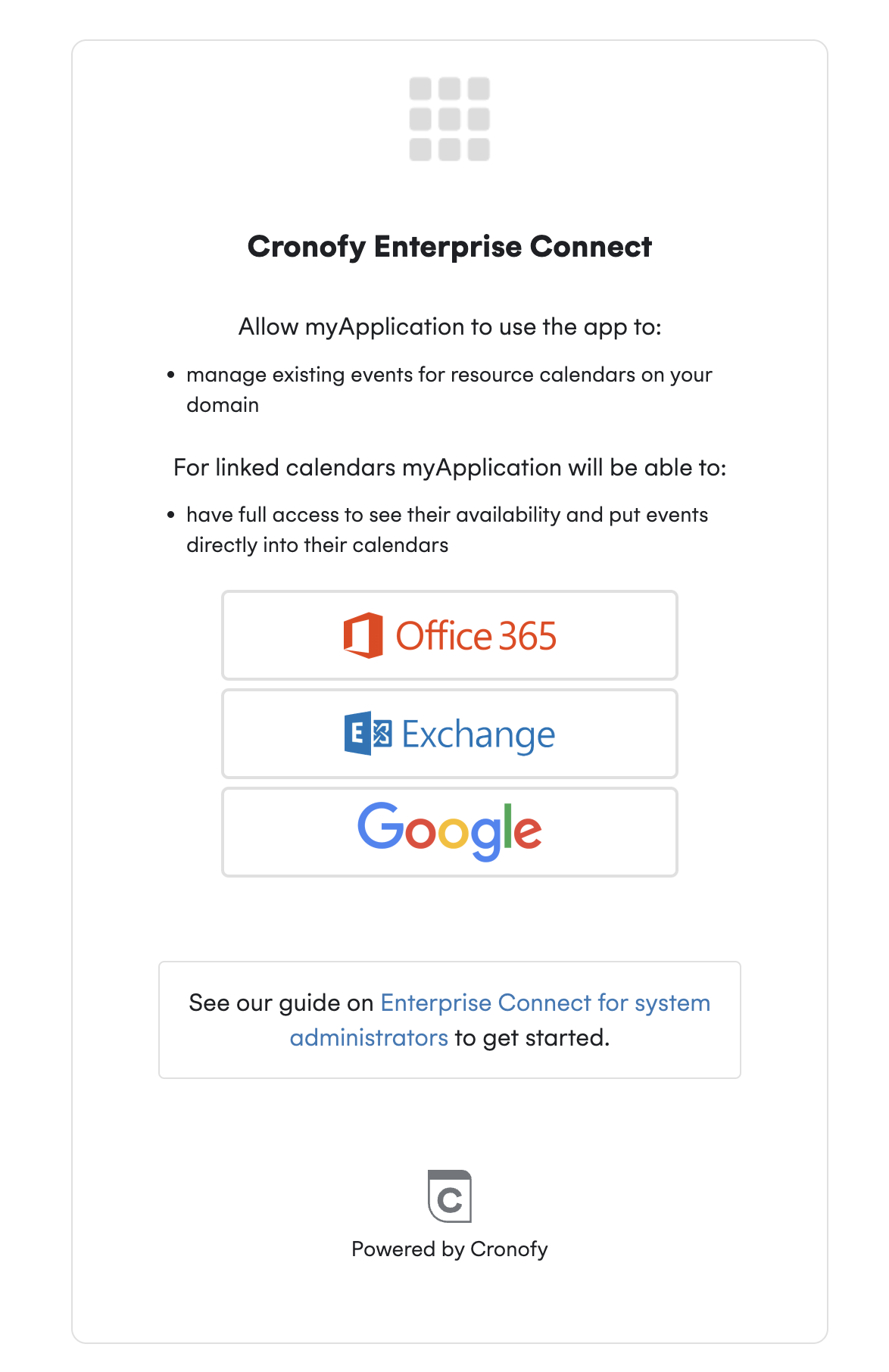
Without Calendar Access Modes requesting the free_busy_write scope, users will see this page:
With Calendar Access Modes with the free_busy_write scope, users will see this page:
For your application #
The Free/Busy Access Mode provisions a calendar profile that will act as any existing calendar profile - allowing your application to read-write to it, with Cronofy seamlessly turning the events written into email invites to users.
What remains the same? #
The OAuth flow, on the back-end development, remains as described in the articles for Indvidual Connect and Enterprise Connect.
The Read-Write Access behaviour remains the same as before.
What data is shared? #
It depends on the Calendar Access Mode, type of connection, and the provider itself. Please see the table below for the provider scopes being used for Read-Write Access and Free/Busy Access.
Individual Connect #
| Access Mode | Microsoft | |
|---|---|---|
| Read-Write Access | Delegated Scopes: User.Read, Calendars.ReadWrite, offline_access | email, profile, attachments. |
| Free/Busy Access | Delegated Scopes: Calendars.ReadBasic, User.Read, offline_access | email, profile, calendar.calendarlist.readonly, calendar.events.freebusy |
Enterprise Connect #
| Access Mode | Microsoft | |
|---|---|---|
| Read-Write Access | Application Scopes: User.Read.All, Organization.Read.All, Place.Read.All, Calendars.ReadWrite Delegate Scopes: Openid, email | User specific Scopes: email, profile Workspace and Directory Specific data: admin.directory.user.readonly, admin.directory.domain.readonly, admin.directory.resource.calendar |
| Free/Busy Access | Delegated Scopes: Calendars.ReadBasic, User.Read, offline_access Directory Specific: GroupMember.Read.All, Organization.Read.All, User.Read.All | User Specific: email,profile, calendar.calendarlist.readonly, calendar.events.freebusy Directory Specific: auth/admin.directory.user.readonly, /auth/admin.directory.domain.readonly, admin.directory.resource.calendar.readonly |
Does conferencing work with Free/Busy Calendar Access Mode? #
Conferencing can be provisioned as usual using options like Zoom WebEx and GoTo. However, Microsoft Teams and Google Meet can’t be used through the integrated profile_id option. These need to be connected separately because Free/Busy Access Mode calendars lack permissions to write to users’ calendars and can’t access those options.
You can read more about conferencing here.