Create a request with the API
Read as MarkdownYour application can create Scheduling Requests itself, for example when a candidate reaches the interview stage or a customer asks for a call.
You’ll need the Sandbox set up first.
Authorize your requests #
Every call to the Sandbox uses the access token shown under API authorizations on the Hill Valley Futures page.
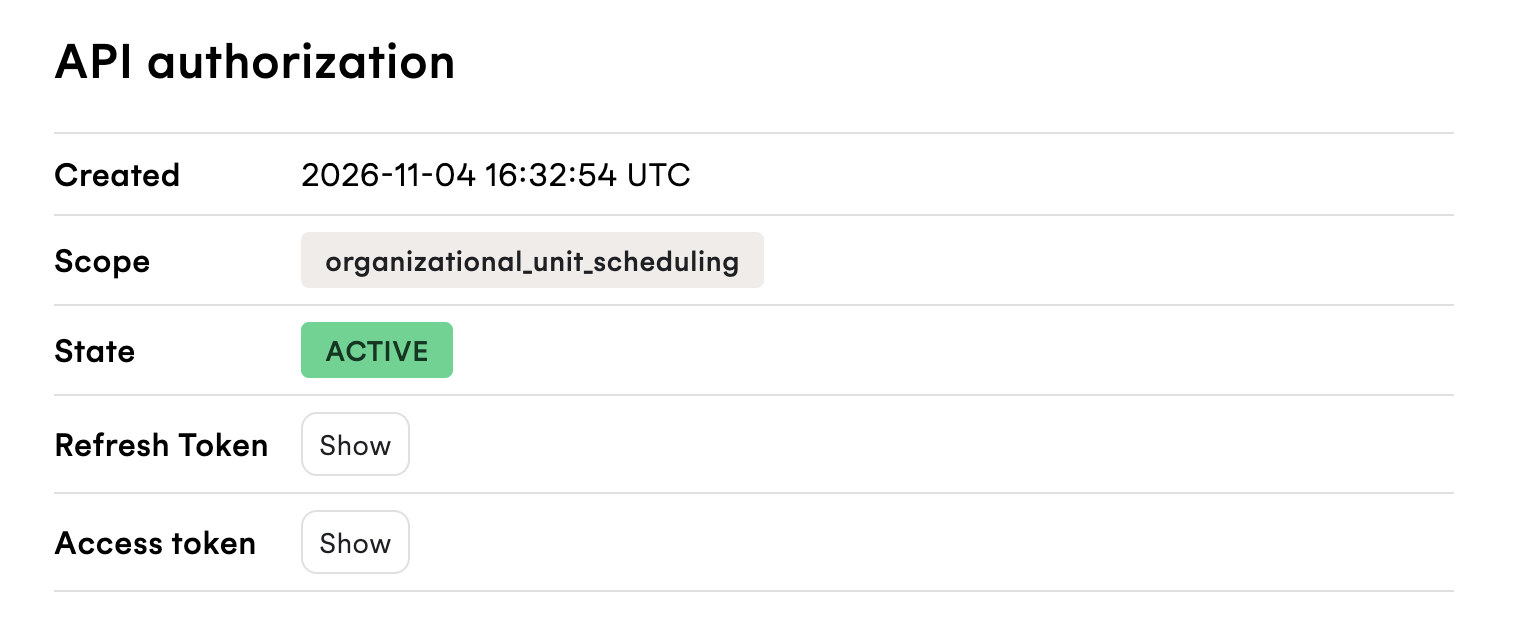
In production, the token comes from provisioning the customer’s Managed Organizational Unit.
Pass it as a Bearer token in the Authorization header. In the examples,
replace {data_center_url} with the API URL of the
data center you
signed up in.
Find the host #
Doc Brown will host the meeting. You need Doc’s sub, which you can copy from
Doc’s member page under View Members, or list with the
Organizational Unit Members API:
GET /v1/organizational_unit_members HTTP/1.1
Host: {data_center_url}
Authorization: Bearer {ACCESS_TOKEN}
Create the request #
Use Doc’s sub as the host, and your own email address as the recipient:
POST /v1/scheduling_requests HTTP/1.1
Host: {data_center_url}
Authorization: Bearer {ACCESS_TOKEN}
Content-Type: application/json; charset=utf-8

{
  "host": {
    "sub": "{DOC_BROWN_SUB}"
  },
  "recipients": [
    {
      "email": "{YOUR_EMAIL}",
      "slot_selector": true
    }
  ],
  "event": {
    "summary": "Test meeting with Doc"
  }
}
The response is the new Scheduling Request:
{
  "scheduling_request": {
    "scheduling_request_id": "{SCHEDULING_REQUEST_ID}",
    "slot_selection": "pending",
    "primary_select_url": "{PRIMARY_SELECT_URL}",
    "integration_operations": {
      "simple_available_slots_url": "{SIMPLE_AVAILABLE_SLOTS_URL}"
    },
    ...
  }
}
See Create a Scheduling Request for every option.
Book it as the recipient #
primary_select_url is the recipient’s booking page:
- Open the
primary_select_urlin your browser. - Pick one of the times offered. They’re within Doc’s working hours, Monday to Wednesday, 09:00 to 17:00.
- Confirm the time.
You receive the calendar invitation for the meeting.
Your webhook URL
then receives a scheduling_request_time_chosen webhook with the booked
event. If the meeting is later rescheduled, declined, or cancelled, it
receives a webhook for that too, so your application can keep its own
records up to date.
In your product #
In an applicant tracking system
Create the request automatically when a candidate moves to an interview stage, and include the booking link in the message your product sends them.
Link to thisIn talent management
Create requests as part of your workflows, such as onboarding sessions when an employee starts, or reviews at the start of a review cycle.
Link to thisIn a CRM
Create the request when a lead is qualified or a deal reaches a stage, and include the booking link in your follow-up.
Link to thisIn healthtech
Create the request when a referral arrives, or when a follow-up appointment is due.
Link to this