Microsoft Teams
Read as MarkdownMost Microsoft Teams meetings require zero setup for a Cronofy Meeting Agent to join. However, certain meeting configurations chosen by the meeting owner can prevent the Meeting Agent from joining. This page describes the scenarios we see most often, so that you can recognise them when a Meeting Agent fails to join.
Locked meeting #
A meeting owner can lock a meeting from within Teams. Once a meeting is locked, no further participants — including a Meeting Agent — are able to join.
If the meeting is locked before the Meeting Agent joins, the Meeting Agent will be unable to enter and the join attempt will fail.
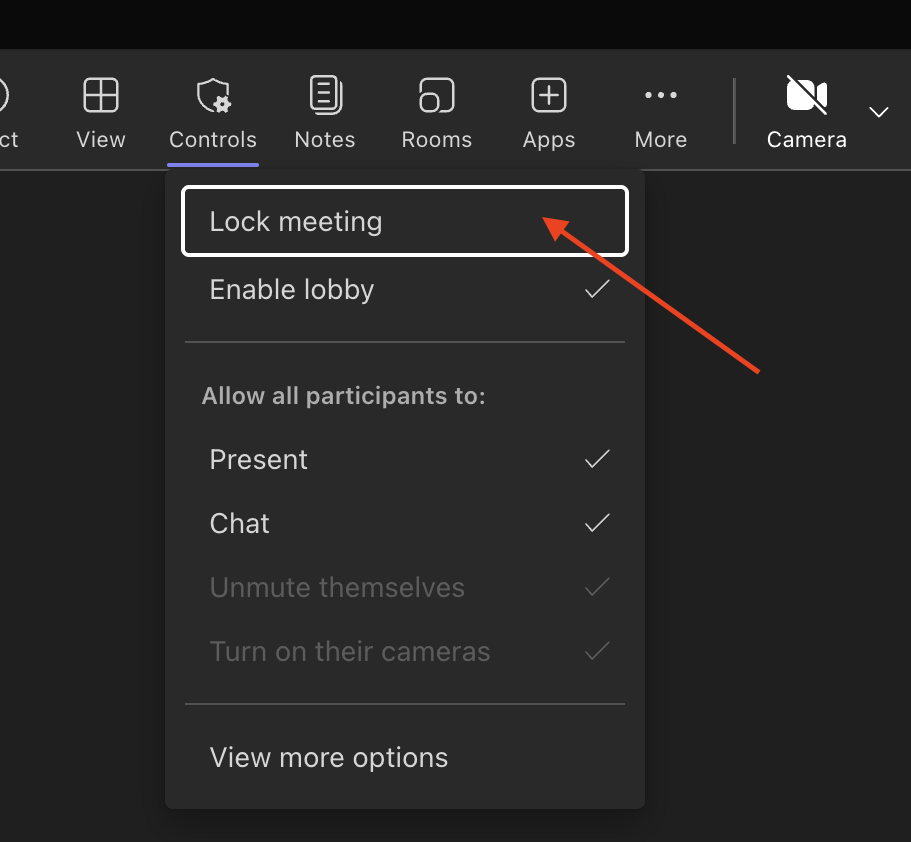
To avoid this, the meeting owner should ensure the meeting is not locked until after all expected participants, including the Meeting Agent, have joined.
Anonymous verification required #
A meeting can be configured with the option Require unverified participants to verify their info before joining. When this is enabled, anyone joining without a verified identity is prompted to verify their information before they are admitted.
A Cronofy Meeting Agent joins as an unverified participant and cannot complete this verification step, so the join attempt will fail.
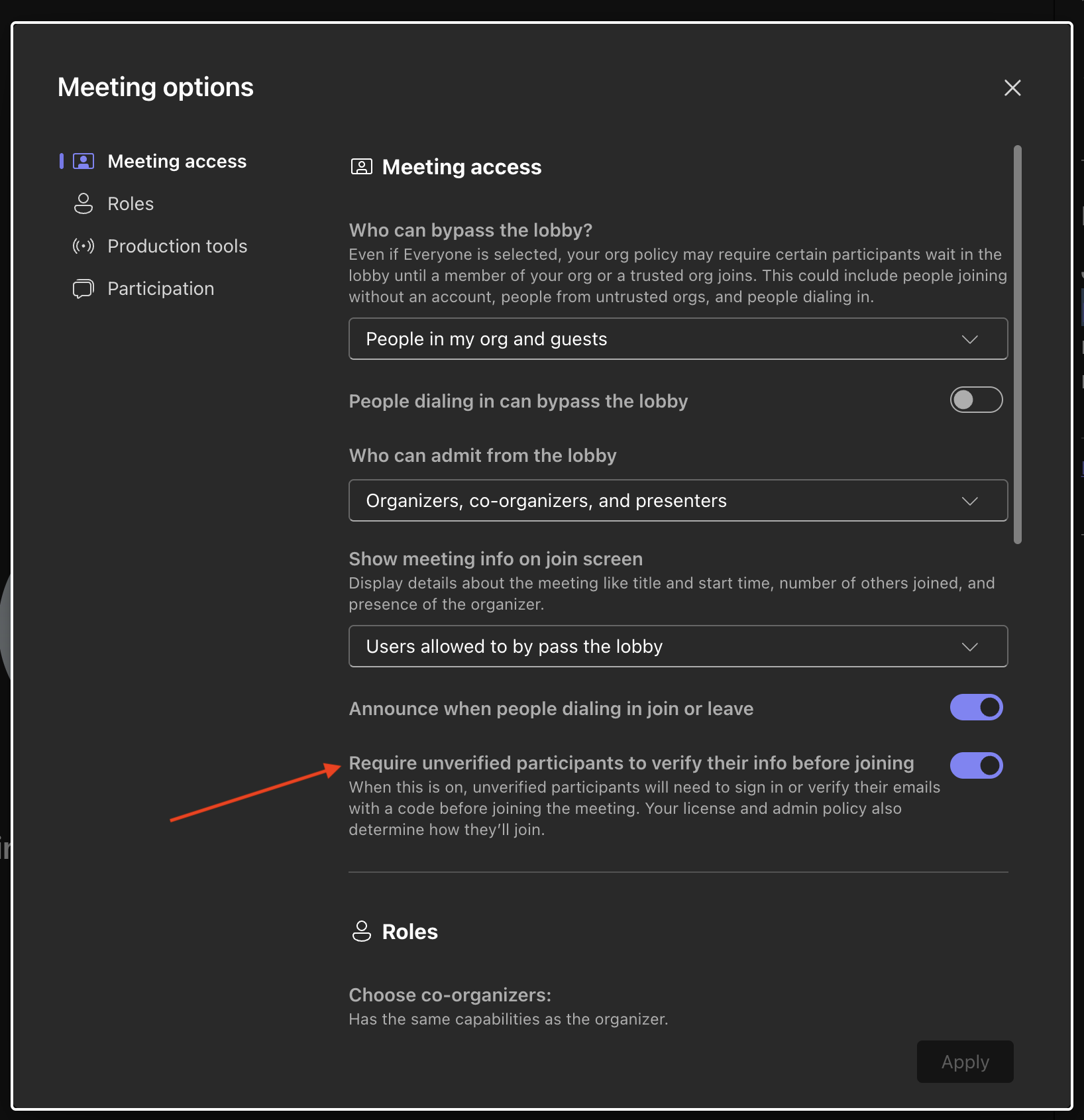
To avoid this, the meeting owner should disable the requirement for unverified participants to verify their info before joining.