# Connect Greenhouse to Cronofy
Please follow the instructions below to grant Cronofy access to Greenhouse, so **that interviews scheduled via Cronofy can be synced into Greenhouse**.
> **WARNING:** Please note that you need to be a Site Admin with [developer permissions](https://support.greenhouse.io/hc/en-us/articles/201122629) in Greenhouse and a user with the "owner" role in Cronofy to set up the integration.
### Greenhouse setup
##### Step 1 - Create the API key in Greenhouse.
In Greenhouse, press the "Settings" cog in the top right corner.
Select Dev Center from the left menu to choose API Credential Management.
Then select **Create New API Key** using the following settings:
- API Type: Harvest
- Partner: *Leave Blank*
- Description: Cronofy Integration
- Press **Create**
##### Step 2 - Paste the API key in Cronofy.
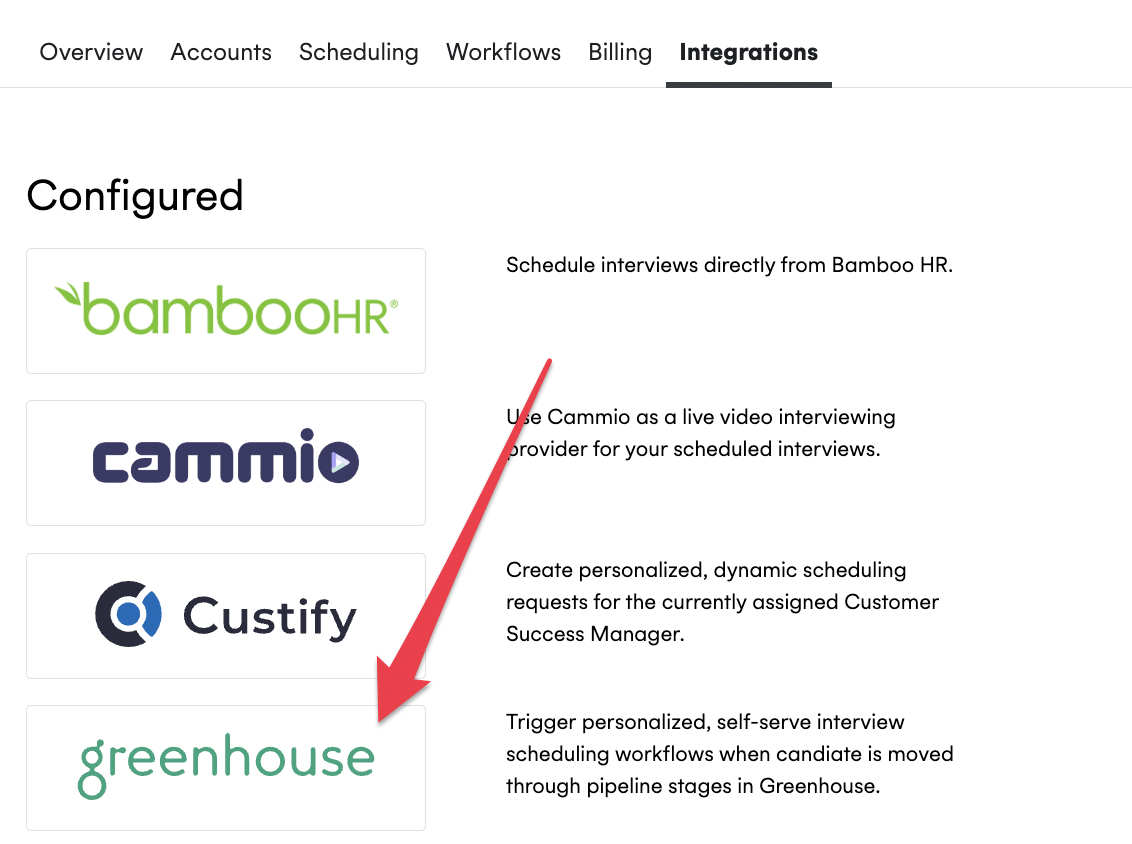
- In Cronofy, you would first need to select your Organizational Unit Settings, choose the "Integrations" tab, to access Greenhouse integration.
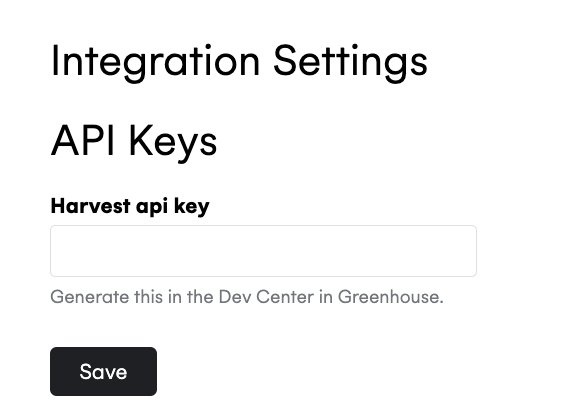
Then paste the API key under the **"Harvest api key"** section in Integration Settings and press "Save", as shown in the image below:
##### Step 3 - Set the permissions in Greenhouse.
- In Greenhouse, select the following Permissions and press **Save**.
```
- Applications
- Get: Retrieve Application
- Candidate
- Get: Retrieve Candidate
- Post: Add Note
- Post: Add E-mail
- Users
- Get: Retrieve User
- Scheduled Interviews
- Get: List Interviews for Application
- Get: Retrieve Interview
- Get: List Interviews
- Delete: Delete a scheduled interview
- Post: Create a scheduled interview
- Patch: Update a scheduled interview
- Jobs
- Get: List Jobs
- Get: Retrieve Job
- Get: Get hiring team
- Job Stages
- Get: Retrieve Job Stage
- Get: List Job Stages
- Get: List Job Stages for Job```
> **INFO:** Now that you have successfully connected Greenhouse to Cronofy, take a look at how you can set up our [full](/integrations/greenhouse/setting-up-greenhouse-triggers/index.md) or [partial automation](/integrations/greenhouse/setting-up-browser-extension-integration/index.md).
### Contact Us
If you require assistance with following these steps, please reach out to our support team at [support@cronofy.com](mailto:support@cronofy.com) or click the support widget on this page.
---
[Read in HTML](/integrations/greenhouse/connect-greenhouse-to-cronofy/)